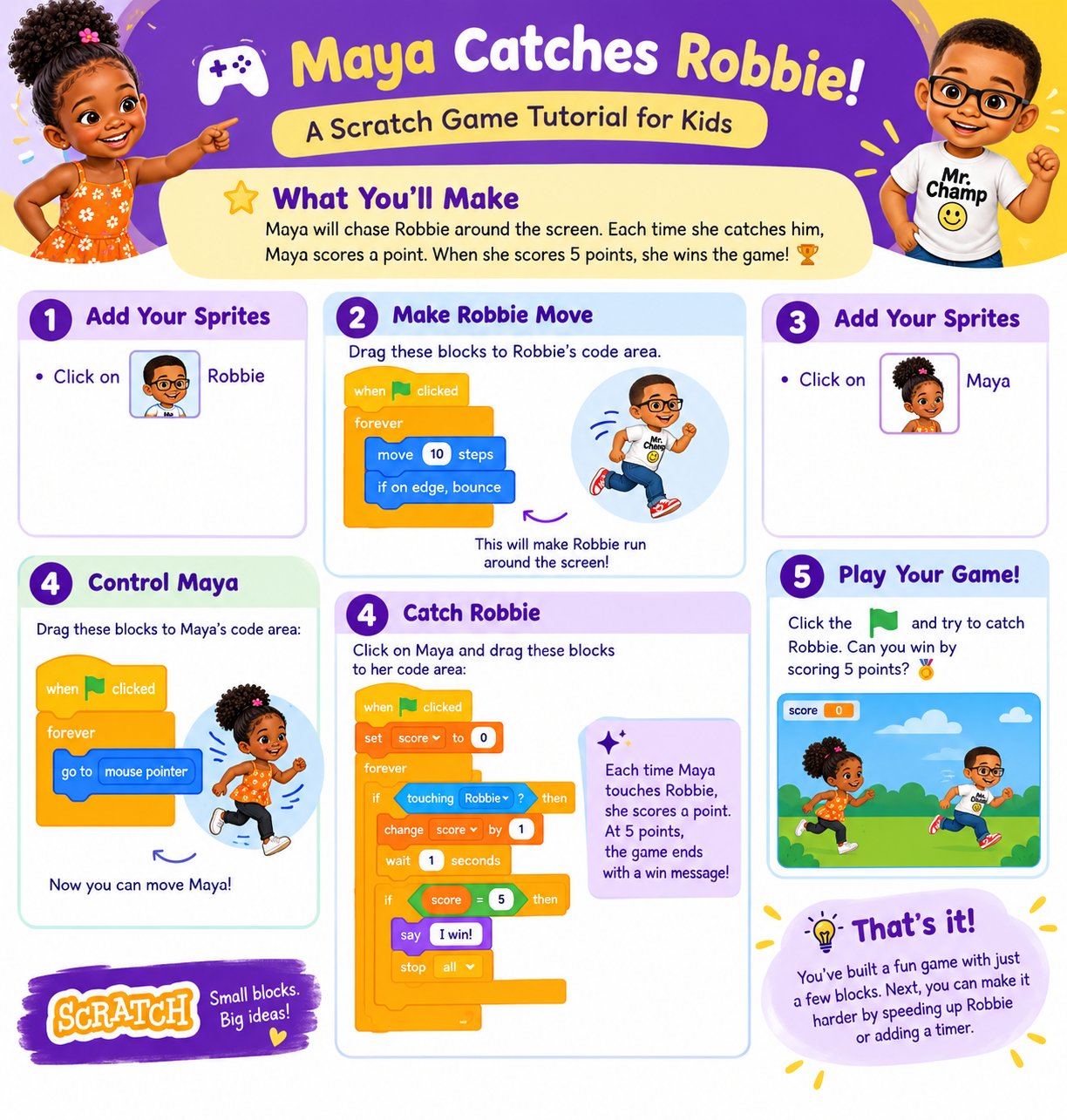
🌟 What You'll Make
Maya will chase Robbie around the screen. Each time she catches him, Maya scores a point. When she scores 5 points, she wins the game! 🏆
👇 Read each step, then scroll down to the Coding Lab and drag the blocks to build your game!
🧩 Step 1: Add Your Sprites

In the lab, click on Robbie.
🧩 Step 2: Make Robbie Move
Drag these blocks to Robbie's code area:
when 🏁 clicked
forever
move 10 steps
if on edge, bounce
This will make Robbie run around the screen!
🧩 Step 3: Add Your Sprites

Now click on Maya.
🧩 Step 4: Control Maya
Drag these blocks to Maya's code area:
when 🏁 clicked
forever
go to mouse pointer
👉 Now you can move Maya!
🧩 Step 5: Catch Robbie
Stay on Maya and drag these blocks below the first ones. Start a second "when 🏁 clicked" stack:
when 🏁 clicked
set score to 0
forever
if touching Robbie
change score by 1
wait 1 seconds
if score = 5
say "I win!"
stop all
👉 Each time Maya touches Robbie, she scores a point. At 5 points, the game ends with a win message!
🎉 Step 6: Play Your Game!
Click the green flag and try to catch Robbie. Can you win by scoring 5 points? 🏅